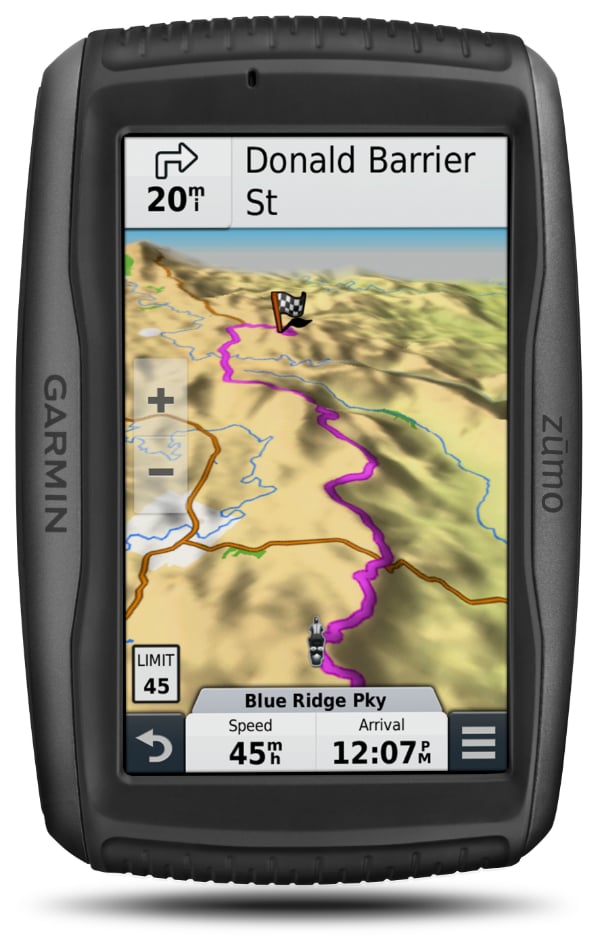
A "permanent" fix for an always flat, won't charge Zumo battery
I've been meaning to post this for a while and have been reminded/prompted by several related threads over on ZumoForums.
April 2018 UPDATE: the original ZumoUser forum suddenly closed it's doors and all data seems lost (lucky I posted here, eh?). It's replacement can be found at www.zumouserforums.co.uk.
Credit to user stu_m for having the nerve to diddle with the connector in the first place. I'd previously only re-seated the connector a few times to reduce contact resistance and the improvements didn't last.
Please refer to the forum for the origin(s). I will post these details there too, it is just more convenient for me to create here.
If your Zumo seems to die within minutes of taking it out of the cradle and doesn't seem to charge no matter how long it's left on charge for or with whatever charger/power supply, then there's a good chance this will work for you.
April 2018 UPDATE: the original ZumoUser forum suddenly closed it's doors and all data seems lost (lucky I posted here, eh?). It's replacement can be found at www.zumouserforums.co.uk.
Credit to user stu_m for having the nerve to diddle with the connector in the first place. I'd previously only re-seated the connector a few times to reduce contact resistance and the improvements didn't last.
Please refer to the forum for the origin(s). I will post these details there too, it is just more convenient for me to create here.
 |
| Garmin Zumo 590LM. |
My fix is slightly more pin-friendly and reduces the risk of bending a pin too much (and crushing or snapping it) and provides improved contact on both sides of the pin and it's mating half, as it should have been at point of manufacture. It's fairly easy to do, you just need a steady hand and good eyesight (or some kind of magnification - close-up pictures here are from a cheap USB microscope).
Step-by-step:
1. Remove battery. |
| Press down tab and lift out connector. |
2. Remove a pin (one at a time to avoid short-circuit or mixing up the sequence) by using either a pin, small jewellers flat-blade screwdriver or the blade of your scalpel/X-Acto knife to carefully lift the tiny pin-retention tab on the connector housing. Gently pull the wire at the same time and it will slide out.
 |
| Lift tab and pull out pin. |
3. Insert the knife blade between the "sprung" contact surfaces, either side of the pin and "lean" the blade over slightly (both ways) to expand the gap, it doesn't need much.

 |
| Spread the contacting surfaces. |
4. Re-insert the pin in to the connector housing.
 |
| Back home, ensure the tab is pushed back down. |
5. Repeat 2-4 for all pins.
6. Re-insert battery, switch on and you should see an immediate improvement.

In the couple of months since I did this, I've never had my 590 die on me or any low battery warning for that matter. Enjoy!
Jan 2020 UPDATE
Jan 2020 UPDATE
I just noticed my battery performing badly again. I couldn't be bothered to pull the pins again (I was also doing other things) so opted for a tiny squirt of WD-40 in the battery socket in the back of the Zumo (soak up the excess with tissue paper or shake/blow out the excess). Hey-presto, battery lasted over 2hrs. I suspect it won't last as long as the proper fix but could be useful mid-trip. Use this information at your own risk ;-)
Don't bother: 24hrs later and it was reading low battery. Just did the pin trick again...
Don't bother: 24hrs later and it was reading low battery. Just did the pin trick again...